Hit Em Up: Mass Text Bulk SMS
- 4.5
- Rating
- 50.00K
- Installs
- Free
- Price

 Analysis by App-foxy
I like communication tools that solve one awkward problem without making me learn an entire business system. Hit Em Up: Mass Text Bulk SMS takes that approach: it is designed for sending personalized text messages to many people at once, while keeping the process quicker than copying and pasting the same message into separate conversations. After using it as a practical bulk-messaging tool, my view is clear: it is most useful for people who already have a legitimate group of contacts to reach, but it is not a universal replacement for ordinary messaging apps or dedicated customer-relationship software.
The app sits in the communication category and comes from Praiseworthy Apps LLC. It is free to install, carries an Everyone age rating, and has reached over 50 thousand installs. Its average score is 4.5 from roughly 800 ratings, with more than 300 written reviews, which suggests that the central idea works well for many users even though the experience depends heavily on how carefully you prepare your contact list and message.
What using Hit Em Up feels like in everyday communication
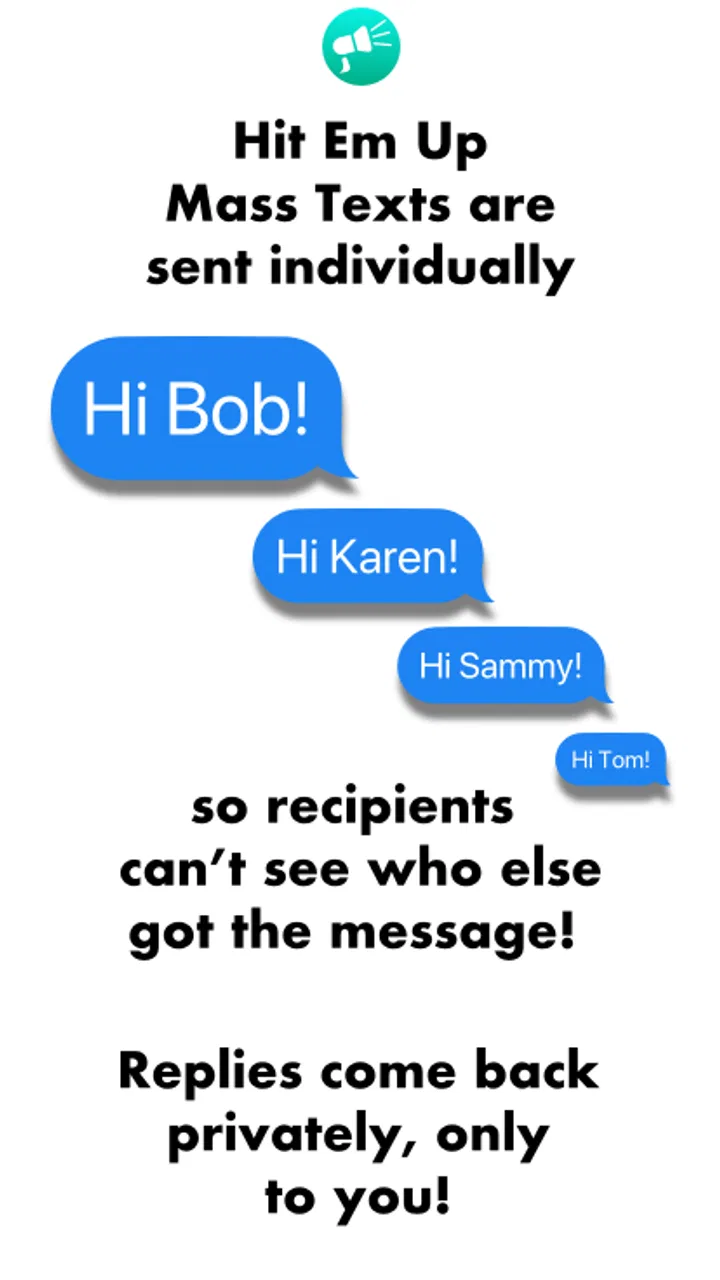
The main benefit becomes obvious when a message needs to reach a group but should not look like a group chat. A normal group conversation exposes the participants to one another and often creates a noisy thread. Sending individually preserves a more personal exchange, yet doing that manually is slow and easy to get wrong. Hit Em Up is built around that middle ground: one prepared message, multiple recipients, and a more direct one-to-one feel.
You May Also Like

 Blood Strike: 2.5 Anniversary
Blood Strike’s Loadouts Turn Every Drop Into a Tactical Gamble
A close look at Blood Strike’s custom loadouts: how fast access to signature weapons reshapes its battle royale rhythm, rewards preparation, and narrows the gap between fights.

 Pandora - Music & Podcasts
Pandora’s Music Is Easy to Start, but Harder to Recover
Pandora’s strength is its low-effort path from a seed to a station. Its weak spot is how much confidence it asks you to place in connection, setup, and quiet recovery.

 8 Ball Pool
 Is Built on Rivalries, Rematches, and Routine
A close look at the rivalries, rematches, shared routines, and unanswered safety questions that turn a quick pool match into a persistent mobile community.

 Samsung Music
’s Quiet Strength Is Playing What You Already Own
Its reach comes less from spectacle than from dependable access to a personal library. That simplicity is both the app’s strongest retention engine and its ceiling.

 AccuWeather: Weather Radar
AccuWeather Review: A Quick, Clear Forecast for Everyday Decisions
For everyday plans, the best forecast is the one you can understand quickly. AccuWeather makes rain timing, radar, and local conditions easy to act on, with a few trade-offs.

 Hill Climb Racing
Why Hill Climb Racing Still Turns Crashes Into One More Run
A tiny car, a bumpy hill and one more upgrade: Hill Climb Racing keeps resurfacing because its simple chaos makes every near-miss feel personal.
More From Our News Desk
View All News


I found that distinction more important than the word “bulk” might suggest. This is not simply a faster way to broadcast a public announcement. It is better understood as a tool for repeated, organized outreach where the recipient list is already known. A sports coach can remind players about a schedule change, a community organizer can contact volunteers, or a small service provider can send a carefully written update to existing clients. In each case, the value comes from reducing repetitive work while avoiding the social friction of putting everyone into one shared conversation.
The app’s free entry point makes it easy to test with a small, sensible list before deciding whether it belongs in a regular workflow. There are in-app purchases ranging from around thirteen dollars to roughly one hundred eighty dollars per item, so I would not treat the free installation as proof that every useful level of sending is free. Anyone planning frequent outreach should inspect the available purchase choices inside the app and judge them against the amount of time saved.
Personalization is the feature that matters most
Sending the same sentence to many people is easy to imagine, but it is not always the best communication. A message that includes the recipient’s name, appointment detail, team role, or other relevant context feels more intentional and is less likely to be mistaken for an impersonal blast. That is where this app has a stronger reason to exist than the standard messaging application already on a phone.
My advice is to write the message as if you were sending it to one person first. Remove anything that sounds like a group announcement, check the tone, and make the purpose clear in the opening line. Personalization cannot rescue a vague message. It works best when the underlying text is short, specific, and useful.
A practical workflow is to divide contacts by purpose before composing anything. Keep a list for people who need a schedule reminder, another for customers awaiting an update, and another for volunteers or members. That small bit of preparation reduces the chance of sending an irrelevant message to the wrong audience. It also makes the app feel less like a one-time shortcut and more like a repeatable communication routine.
A realistic scenario where it earns its place
Imagine a local instructor whose class time changes because a venue is unavailable. A group chat would require every participant to see everyone else’s replies, while manual texting could consume the evening. With Hit Em Up, the instructor can prepare one clear update, personalize the greeting, send it to the relevant class list, and then handle replies separately. The important advantage is not merely speed; it is keeping the announcement focused and the recipient experience relatively private.
There is a useful follow-up habit here: after sending, keep track of who responds and who needs a second message. Bulk delivery is only the first half of good communication. If someone asks a question, that conversation should move back into a normal one-to-one exchange rather than being mixed into the original sending process. Used this way, the app handles the repetitive opening step while the phone’s regular messaging tools handle personal follow-up.
The same pattern can work for a small event organizer confirming arrival instructions, a neighborhood group sharing a weather-related change, or a family member coordinating a large gathering. In all of these examples, the recipients are people the sender already knows or has a valid reason to contact. That boundary matters.
Where it is stronger than ordinary alternatives
The usual alternative is manual texting. That method gives you complete control, but it becomes tedious as the list grows and increases the risk of skipping someone, duplicating a message, or accidentally changing the wording between conversations. Hit Em Up is more efficient when the message is mostly the same for everyone and the contact group is stable enough to prepare in advance.
A group chat is better when discussion is the goal. If participants need to see questions, coordinate openly, or respond to the whole group, a shared conversation is more natural. Bulk one-to-one messaging is the wrong shape for collaborative discussion because it scatters replies across separate threads. I would choose the app for announcements and reminders, not for live debate or team problem-solving.
Email remains preferable for long instructions, attachments, formal records, or messages that people may need to search later. Text messaging has immediacy, but that does not make it suitable for every kind of information. If the communication needs several sections, detailed terms, or a durable paper trail, I would write an email and use a short text only to point people toward it.
Dedicated marketing platforms are also a better fit for organizations that need advanced campaign management, detailed reporting, permission controls, or large-scale customer workflows. Hit Em Up feels more approachable for personal and small-group use. Its advantage is simplicity; the trade-off is that it should not be mistaken for a complete business messaging infrastructure.
The meaningful weakness: bulk sending demands discipline
The biggest limitation is not a missing decorative feature. It is the responsibility that comes with sending to many people quickly. A mistaken recipient list or poorly edited message can turn a time-saving tool into a fast way to create confusion. Before sending, I would check the audience, read the message aloud, verify every personalized field, and remove anyone who does not genuinely need the information.
That extra checking may sound obvious, but it changes the real time savings. The app can reduce repetitive tapping, yet it cannot decide whether the message is welcome, whether the wording is appropriate, or whether the contact list is current. People who expect an automatic “send and forget” experience may be disappointed. The tool accelerates execution, not judgment.
There is also a social limitation. A recipient may perceive an individualized-looking message as more personal than it really is. If the content feels overly promotional or arrives without a clear relationship, the personalization can seem artificial rather than helpful. I would reserve this approach for relevant updates and genuine coordination, not for indiscriminate outreach.
Questions about cost, compatibility, and day-to-day use
The app is free to download, but optional purchases are available, with individual items priced from about thirteen dollars to around one hundred eighty dollars. That broad range tells me that the intended use can vary from occasional personal sending to more demanding workflows. I would begin with the free version, test the exact number of contacts and the type of message I need to send, and only then consider paying for expanded use.
Compatibility is relatively accessible for older devices because the listed minimum operating system is Android 7.0. The current version is 3.28.0, so users should still keep the app updated when possible, particularly if they rely on it for recurring communication. The operating-system requirement makes it a practical option for people who are not using the newest phone, although the quality of the overall experience can also depend on the device’s contact setup and messaging configuration.
Privacy and consent should be part of the decision even when the app is technically easy to operate. I would use it with contacts who expect to hear from me, explain the purpose of recurring messages, and provide a simple way to stop receiving them. That is not just polite; it protects the trust that makes personalized messaging useful in the first place.
Another question is whether the app is suitable for a large company. My answer is conditional. A small team with a modest, well-maintained audience may find it convenient, especially when a human sender still handles replies. A company that needs multiple staff members, formal approval steps, extensive records, or campaign analysis should look toward a specialized service instead. The more complicated the organization becomes, the more the app’s straightforward design may feel limiting.
Users also often wonder whether a bulk message should replace a phone call. In my experience, it should not. Use it for reminders, confirmations, and concise updates. If the subject is sensitive, urgent, confusing, or likely to require a conversation, call the person or write a more deliberate individual message. The app is strongest when it removes repetitive administration, not when it tries to automate every human interaction.
Three habits that make the tool noticeably safer and better
Separate announcement lists from conversation lists. People who need the same update are not automatically the same people who should receive every future message. Keeping those purposes distinct reduces accidental over-messaging and makes each send easier to review.
Use personalization sparingly and honestly. A name or relevant detail can make a message clearer, but adding decorative personal wording to an obviously repeated promotion can reduce trust. Personalize where it improves comprehension, not merely where it is technically possible.
Prepare a reply plan before sending. Decide where questions will be handled and who will answer them. The initial bulk send may be efficient, but the follow-up is still individual work, and planning for it prevents a successful announcement from becoming a pile of neglected replies.
These habits reveal the app’s real character. It is not a substitute for communication judgment, and it does not eliminate the need for contact management. Instead, it removes one repetitive layer from a workflow that already makes sense. That is a narrower promise than an all-purpose messaging platform, but it is also a more believable one.
Who should use it, and who should skip it
I would recommend Hit Em Up to organizers, instructors, small service providers, community leaders, and individuals who regularly send similar updates to known contacts. It is especially appealing when a group chat would expose participants unnecessarily or create too much reply noise. People who send occasional reminders can also benefit, provided they are willing to review the list carefully each time.
I would be more cautious for anyone whose main need is two-way group discussion. A regular group chat will be more transparent and interactive. I would also steer away from this app for people managing complex marketing operations, because specialized platforms are likely to offer a better structure for consent, reporting, team access, and long-term campaign organization.
It is not the right choice for unsolicited mass outreach. Fast sending does not make unwanted messages acceptable, and personalization does not change that. The best audience is one with an existing relationship and a clear reason to receive the update.
My final verdict
Hit Em Up: Mass Text Bulk SMS is a focused communication shortcut, not a complete messaging strategy. I appreciate that its purpose is easy to understand: prepare a message, reach a known group efficiently, and avoid the clutter of a shared chat when individual delivery makes more sense. The strongest results come from careful contact organization, concise writing, and a clear plan for replies.
Its limitations are equally important. Bulk messaging can magnify mistakes, and the app cannot replace consent, editing, or personal follow-up. The available in-app purchases also mean that frequent users should examine the cost of their intended workflow rather than assuming the free download covers every need.
Still, for the right person, this is a useful and practical app from Praiseworthy Apps LLC. I would install it when my recurring communication problem is repetitive one-to-one outreach, and I would choose a group chat, email, phone call, or a more advanced business platform whenever the situation calls for shared discussion, detailed information, sensitive conversation, or formal campaign management.
FAQs for Hit Em Up: Mass Text Bulk SMS
01What is Hit Em Up: Mass Text Bulk SMS used for?
Hit Em Up: Mass Text Bulk SMS is designed for sending the same text message to multiple contacts individually, rather than placing everyone in a visible group conversation. It can be useful for announcements, invitations, reminders, business updates, or personal messages. The app focuses on simplifying bulk communication while helping recipients receive messages privately.
02Does Hit Em Up send messages as individual texts or create a group chat?
The app’s main purpose is to send messages separately to each selected contact. Recipients generally receive the text as a one-to-one conversation, so they are not shown a shared recipient list and cannot automatically see or reply to other people in the campaign. This makes it more suitable for private announcements than traditional group messaging.
03Can I personalize messages for different recipients?
Hit Em Up may provide tools that make bulk messaging more convenient, but users should check the current version and platform-specific features before downloading. Depending on the device and subscription plan, personalization options, contact selection, scheduling, attachments, or message templates may differ. Reviewing the app’s permissions and feature list is recommended before sending an important campaign.
04Is Hit Em Up: Mass Text Bulk SMS free to use?
The application may be available to download without an upfront charge, but some functions can require in-app purchases, a subscription, or an upgraded plan. In addition, normal carrier messaging fees, SMS limits, or data charges may apply depending on how messages are sent. Always check the current pricing details in the official Google Play or App Store listing.
05What should I consider before sending bulk messages with this app?
Before using Hit Em Up, make sure your contacts have agreed to receive your messages, particularly when communicating for business or promotional purposes. Sending large numbers of unwanted texts can lead to complaints, carrier restrictions, or privacy concerns. Also verify the recipient list carefully, review the message for mistakes, and confirm that the app has only the permissions you are comfortable granting.
Pros
- Send personalized bulk texts to many contacts at once.
- Supports group messaging without creating a permanent group chat.
- Useful for announcements
- invitations
- and business outreach.
- Contact selection tools make large recipient lists easier to manage.
- Offers a straightforward interface with minimal setup required.
Cons
- Bulk messaging may be restricted by carrier or platform policies.
- Some advanced features may require an in-app purchase.
- Large recipient lists can take time to prepare and review.
- Recipients may see messages from your personal phone number.
- Accidental selection can send a message to unintended contacts.

Hit Em Up: Mass Text Bulk SMS
Gallery